
The workouts you did, and how they felt.
Keep your workouts on a map, with photos and notes about how they felt. You can add a note while the day is fresh, or come back to it later.

iPhone and iPad · iOS 17 or later
Apple Watch companion · watchOS 10 or later · Requires paired iPhone
“Cold morning. Felt better once I got moving.”
Start with a workout you’ve already recorded
Connect Apple Health
Duskline imports workouts with recorded routes when you open the app. It starts with the last month and looks back up to a year within the history you share if there aren’t many to import. You can also add individual workouts from Apple Health in Add. For a workout without a route, choose its location yourself.
Add a note, if you’d like
Open a workout and you’ll find one question:
“How did it feel?”
A photo or a few words can help you remember that day. Place names and weather are added when available, and you can change the place name.
Come back to a day you remember
Find a workout on the map or browse by place and month in the travelogue. Your route and anything you’ve added are there when you want to revisit it.
What it looks like
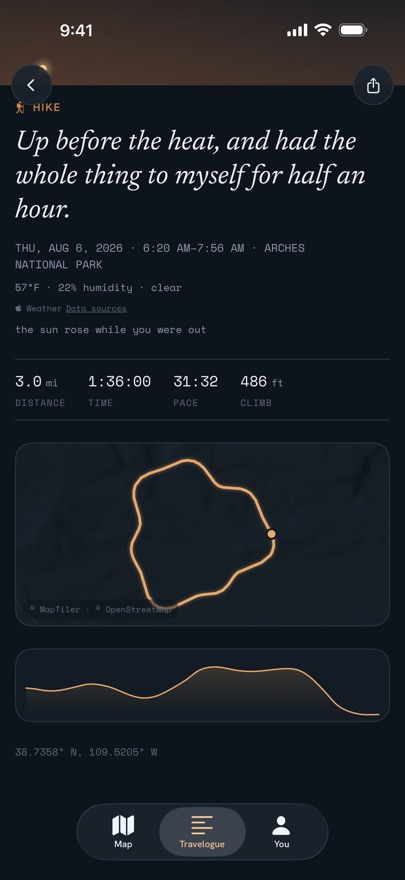
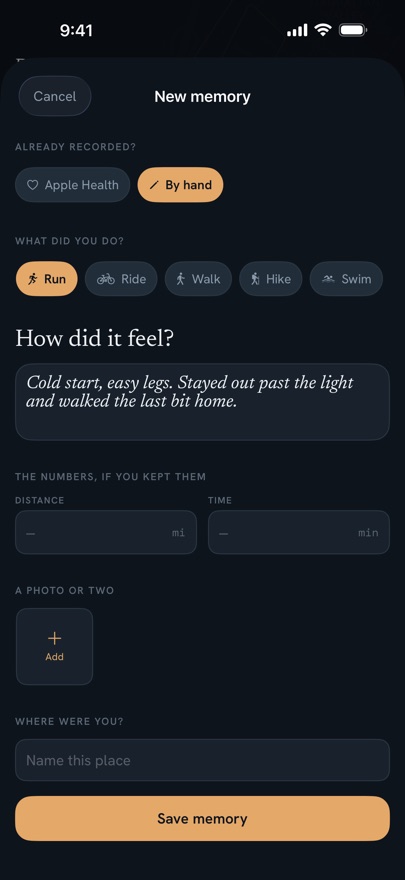
Find the day you’re looking for
See your workouts on the map or read your notes in the travelogue. You can group memories from a trip into a chapter.
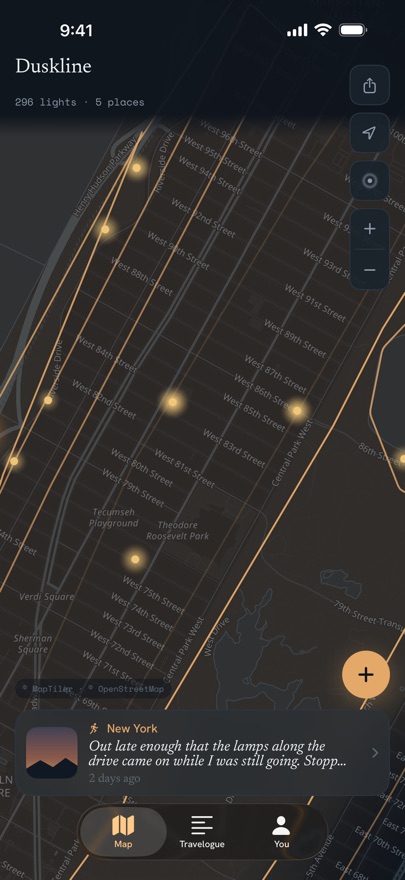
Your workouts on a map
Each workout appears as a light at its location. Recorded routes show the path you took. Open a light to see the workout and anything you’ve added.
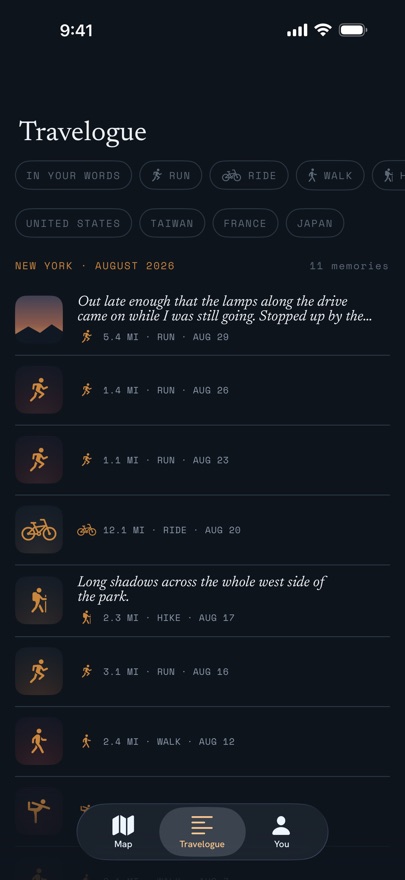
Browse by place and month
Find a workout from two weeks away or a morning near home. Filter by activity or place, search your notes, and jump to a month from the heading.
Keep a trip together
Group memories from a trip or a season into a chapter. You can add an introduction whenever you like. The memories still appear in the travelogue by place and month.
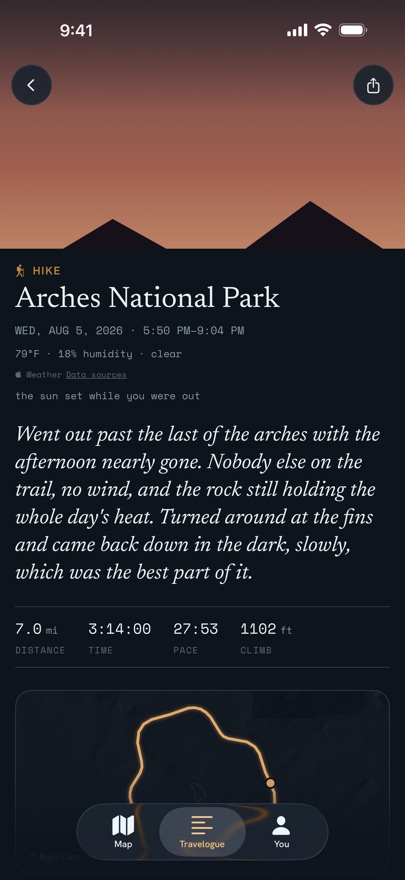
The details from that day
Open a workout to see its route and recorded details, along with your notes and photos. Weather appears when available. Duskline also shows where the sun was at the time.
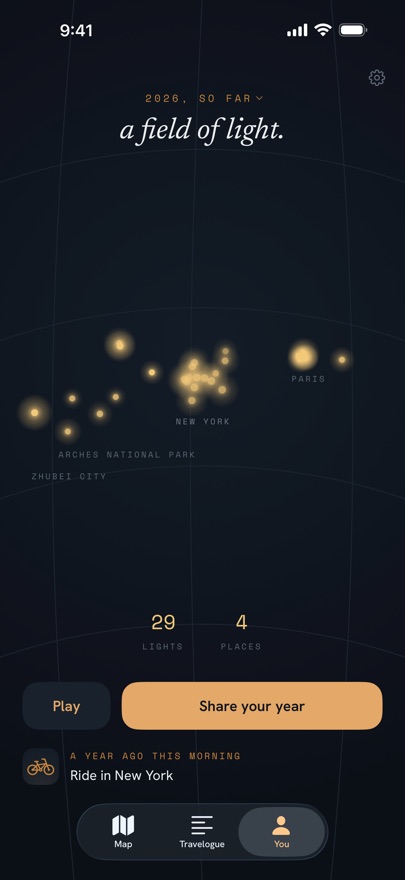
A year of workouts
See a year’s workout locations together, or watch them appear in date order. Swipe to earlier years to revisit another time. You can also save the year as a poster or share it as a video.
A glance at your workouts
One widget shows your recent workouts near home. The other shows workout memories across your library, labeled by place. Choose the one you’d like on your home screen, or use both.
Share a memory or a place
Send a workout memory with its route and note, and an attached photo if you’d like. Or share a map of your workouts in a place, with an activity summary and an optional caption.
Print a chapter or a year
Make a PDF travelogue with maps of your workout locations and memories in date order. Preview your travelogue for free before purchasing. Making the PDF is included in the one-time purchase; you can print it at home or keep a digital copy.
Keep a few words from your wrist
Dictate or type a note while the day is fresh. Attach it to a recent memory, or choose a memory later on iPhone. Your note stays saved on your watch while it waits for your phone.
Add Duskline to your watch face or Smart Stack to open a new note. Watch notes are free.
The companion captures notes about your workouts. Use your usual workout app to record them, then import them into Duskline on iPhone.
How watch notes work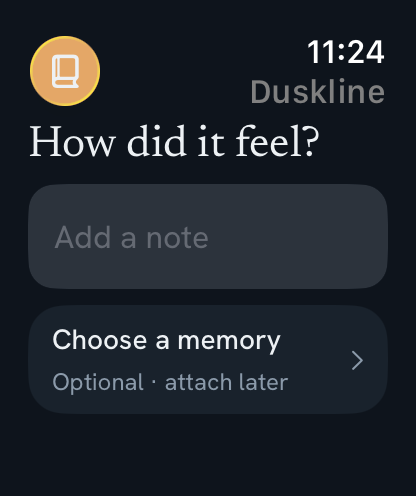
For days you’d like to remember
You might want to keep a workout from a trip, or a familiar loop near home. A photo or a few words can bring back how that day felt.
There’s no feed to post to or score to improve. You choose what to keep and when to return to it.
You don’t need a Duskline account. Your memories are saved on your device and sync through your own iCloud by default, including saved routes, workout details, notes and attached photos. You can turn sync off in Settings. Duskline has no server of its own. The privacy page explains sync and the requests used for maps, place names and weather.
Get Duskline
Start with your recent workouts for free. The purchase below lets you import older workouts and includes more ways to revisit and share your memories.
Your recent workouts
- Recent workouts from Apple Health. Starts with the last month and looks back up to a year within the history you share if needed
- New workouts import when you open Duskline
- Individual workouts from Apple Health in Add, or workouts you enter by hand
- The map and travelogue, with optional notes and photos
- Chapters for a trip or a season
- Apple Watch notes, with a watch-face complication and Smart Stack shortcut
- Chapter and year travelogue previews
- Your year on screen, including its replay
- An image of one workout memory to share
- Your library synced through your own iCloud
- Your library exported as JSON, GPX and photo files
All the years before
$19.99 USD, once · Family Sharing
These features work with the memories you have now and those you add in the future.
- Older workouts with recorded routes from the Apple Health history you share
- GPX route files imported from Files
- Suggestions of photos taken during your workouts
- Memories from this time in earlier years
- Two home screen widgets
- A year poster to share or print
- A chapter or year as a PDF travelogue
- A video of your year to share
- Place maps to share, with activity summaries and optional personal captions
Automatic imports need a recorded route. Walks under 25 minutes are skipped unless Duskline recognizes them as away from home. You can add individual workouts from Apple Health in Add.
Older imports need read access to workouts and routes. Purchasing doesn’t change your Apple Health permissions.
No subscription · iPhone and iPad, with an Apple Watch companion · Local pricing is shown in the App Store